

Voice Assistant
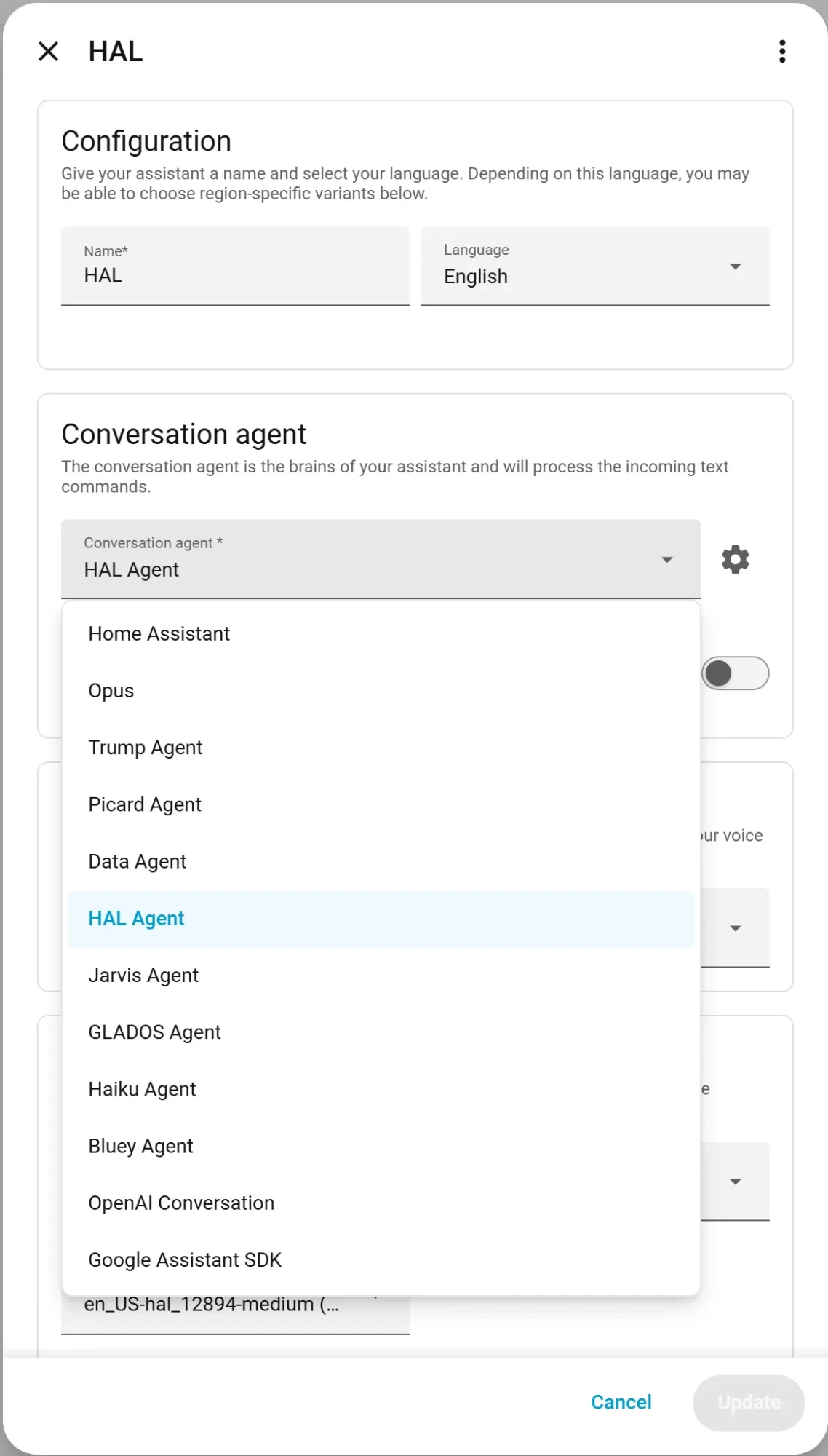
Pick brAIn as a conversation agent under Settings → Voice Assistants and every Assist pipeline — voice satellites, the chat dialog, the mobile app — routes through Claude with full knowledge of your home.
Why it’s fast
Typical commands answer in ~3–5 seconds, and replies stream, so TTS starts speaking at the first sentence on streaming-capable pipelines. Each message streams as its own paragraph, so “I’ll check.” and the answer after it no longer arrive glued together in the chat log. Two mechanisms:
- Fast mode (
assist_fast_mode, default on): a pool of pre-warmed Claude worker processes — one per active conversation plus a hot spare — so voice turns skip CLI boot and MCP handshake entirely. Budget ~150–300 MB RAM per warm worker (max 3). If a worker errors before it has touched anything, the add-on falls back to a one-shot run automatically. - The area map: a cached area → entity map (controllable domains plus Weather and People) is spliced into the system prompt, so “turn off the kitchen lights” acts directly — no lookup turns. A voice-level agent’s map only holds what you’ve exposed to Assist.
Voice agents are also sent only the tools they could actually use, and the ones they act with are loaded up front, so a command can act on its first turn.
binary_sensor.brain_system_assist_healthy reports pool health (worker count, spare, last-request latency, failed turns by kind), and brain doctor probes the whole path end-to-end. Every voice turn is in brAIn’s run journal, failures included, and the usage figure refreshes after one.
Personalities
Each conversation agent you create gets its own name, model, system prompt and reach — a butler, a snarky roommate, a kid-friendly narrator. Prompts are layered deliberately:
- Your personality leads, and explicitly owns identity, tone, and verbosity.
- An operational block follows — tools, the area map, timezone, routing rules, and what this agent is allowed to reach — deliberately identity-free so it can’t fight your persona.
Without a personality, a built-in default applies (“helpful, efficient, 1–2 short sentences”). With one, that default is dropped entirely — so if your persona should stay brief for TTS, say so in the persona: “…no matter how excited you get, keep spoken replies under two sentences.”
New agents default to Claude Haiku for snappy responses; pick any model per agent in the integration options. An agent set to Default runs on brAIn’s own voice model and thinking depth.
You can run several at once, each with its own name, model, personality, reach and blocked services:
"Jarvis"        You are Jarvis, a dry British butler. Address me as "sir".                However excited you get, keep spoken replies under two sentences.                Reach: Full admin. Blocked: nothing.
"Kids' speaker" You are a cheerful helper for a 7-year-old. Short, simple words.                Never mention alarms or locks; if asked, say you'll fetch a grown-up.                Reach: Voice assistant.                Blocked: lock.unlock, lock.open, alarm_control_panel.*, script.*
Because voice reads the same memory as everything else, an agent already knows the house it’s talking about:
“Turn on the beacon.” → memory says the beacon is the office lamp.
“It’s too cold in here.” → memory says the heating is a heat pump on weather compensation, not a boiler, so it raises the flow temperature instead of asking for a target temperature that would do nothing.
What each agent can reach
Every agent chooses What this agent can reach — when you add it (Settings → Devices & services → brAIn → Add service), and later under that agent’s Configure:
| Level | Sees | Can use |
|---|---|---|
| Voice assistant (new agents) | Only what you expose to Assist | Home Assistant tools only |
| Whole house | Every entity | Home Assistant tools only |
| Full admin | Every entity | Everything the brAIn chat can: shell, file edits, config, the web |
So the kitchen speaker anybody can talk to stays a voice assistant, while the agent you use from your own phone is full admin. Full admin can edit your configuration from a misheard sentence — give it only to an agent you alone talk to.
The agent’s level is the only place this is set. The add-on options assist_tool_access
and assist_exposure were removed in 2.10, and “Follow the add-on” is no longer offered: an
agent that used to follow them is now a Voice assistant, the narrowest level. If you had
widened either option, open that agent’s Configure and pick Whole house or Full admin.
Each agent is also told its level, so it knows what it can reach without being walked
through it: a voice-level agent knows an unexposed entity is off-limits and tells you where
to change that rather than hunting for another way in; a whole-house agent never asks you to
expose something; a full-admin agent knows it can use the shell and the brain/ha tools.
Who is asking
Home Assistant lists every conversation agent to every user, so a wall tablet’s login or a guest could pick your Full-admin agent. Somebody signed in who is not a Home Assistant administrator, talking to a Whole-house or Full-admin agent, is answered at the Voice-assistant level — their lights still work, nothing more does, and the agent says why if they ask for more. A satellite or an automation has no user and gets the agent’s own level: who may stand near the satellite is the decision the level already is.
What a voice-level agent sees
Voice sees what you’ve exposed to Assist — the same switch Home Assistant already has under Settings → Voice assistants → Expose. Un-expose the front door lock there and a voice-level agent can neither read it nor act on it, whether you name it directly or ask for “everything in the hallway”.
- An entity nobody has ever set gets Home Assistant’s own default — the same answer the built-in Assist agent gives. A lock is never exposed unless you expose it.
- Area, device and label targets are refused, because a hidden entity reached through its room would be the way around the switch.
- The limit is enforced, not just described: templates, the logbook, the room list and brAIn’s own reads (what is normal, why something changed, habits) only reach exposed entities, and house-wide reads (activity, findings, the registries) are refused.
- If the exposure list can’t be read, voice sees nothing rather than everything, and the log says so.
What a voice-level agent may do
A Voice-assistant agent is limited by service as well as by entity. The default allows only what voice needs, rather than trying to list everything it shouldn’t:
- A request has to name something. A call that names no entity is refused, unless it’s a notification or one of the BRUH add-ons’ play actions. So a voice agent can no longer restart Home Assistant, shut down the host, install an update or create a user — all of which Home Assistant would have accepted, because brAIn’s token is an administrator’s.
- An entity uses its own services.
light.turn_onon a light is fine; a service from another domain aimed at that light is refused. The exceptions are the services built to work across domains:homeassistant.turn_on/turn_off/toggle, text-to-speech, Music Assistant playing on a speaker, and a scene applied inline. update.installis refused even on an update entity.
Anything that administers Home Assistant — a restart, an update, a backup, a user, brAIn’s registry Power Tools — needs an agent set to Whole house or Full admin.
What every agent is held to
- Blocked services. Each agent has its own list, enforced where every control tool
funnels through. It’s checked against what a call does, not what it’s called:
homeassistant.turn_onaimed atcover.garage_dooris a cover call, and a meta-call whose targets can’t be resolved — a whole area, say — is refused on a restricted agent. New agents start with the administration services already ticked: restart and stop, host reboot and shutdown,update.install,recorder.purge,shell_command.*,backup.createandbrain.*(all 69 registry Power Tools, includingbrain.create_user, which can mint an admin login). Untick any of them for an agent you alone use. Opening blinds, unlocking and running scripts stay one click away in the list rather than ticked. Agents you already had are not changed. - Every entity a request names is checked, wherever it names it — a scene’s inline
entitiesmap, a speaker inmedia_player_entity_id, an entity passed to a script as a variable. A protected lock can’t be unlocked by naming it insidescene.apply. - A scene, script or automation is checked by what it reaches. brAIn asks Home Assistant what it references before running it: one that reaches a protected entity is refused on every agent, and on a voice-level agent so is one that reaches an entity you haven’t exposed. A script that only touches the hall light isn’t refused just because a protected lock is in the same room.
protected_entitiesis refused at every level, Full admin included.
How all of this fits with the chat, the terminal and Fix it — the protected list, the action gate, house rules — is on Safety. The option syntax is in the Reference.
It knows which room you’re in, and who’s talking
A request from a satellite or a voice device carries the room and floor it’s in, so “turn off the lights” said to the kitchen satellite means the kitchen lights. A request from somebody signed in carries their person, so a preference stated by voice (“I like the bedroom at 19”) is remembered as theirs rather than everyone’s.
An automation’s extra_system_prompt, and anything Home Assistant said in the conversation
before brAIn was asked — the question an assist_satellite.start_conversation announced, say
— reach brAIn too, so your “yes” knows what it’s a yes to. All of it rides as a short note
in front of your words, never in place of them, and only when there’s something to say.
Conversation memory
While the same Assist chat or voice session stays open, Home Assistant keeps the same conversation_id — and the add-on resumes the same Claude session for each turn, so follow-ups genuinely remember the conversation. A conversation resumed after a pause is answered under today’s instructions and area map, not the ones its first turn saw. A new session starts a clean slate; brain.clear_conversation resets one (or all) manually. If session resume isn’t possible, the integration replays recent turns instead, so follow-ups still work with shorter memory.
A question keeps the satellite listening. When brAIn’s reply asks you something (“Which bedroom?”), Home Assistant is told to keep the microphone open for your answer, the same as its own agents do (Home Assistant 2025.4 and later). On older versions a follow-up still continues the same conversation.
Voice is also how the house learns: say “remember that we call the office lamp ‘the beacon’” and it’s stored instantly — filed as taught by voice, and as yours when you’re signed in. A voice-level agent can’t file a fact about an entity it isn’t allowed to see. And a correction you speak (“turn the hall light back on”) counts as you overriding the automation, exactly as pressing the switch would.
Never done twice
If a voice turn has already reached a device and then the worker dies, brAIn does not re-run the request — that’s how a light used to get toggled twice. It tells you the command may have partly happened and asks you to check. A turn that failed before touching anything is still retried quietly.
No turn counting to tune either: a voice run has a generous guard far past any real command, and one that trips it is told to finish with what it has rather than being cut off mid-thought.
Your other BRUH add-ons, by voice
If BRUH Minecraft, BRight or BRUH Print is installed with its Home Assistant integration, any agent can drive it through that add-on’s own services — nothing to set up.
- Minecraft. “Teleport Emma to Dad”, “put Steve in creative”, “make it day”,
“who’s on?” Names are matched against who’s online the way you’d say them, so “Emma”
finds
.EmmaPlays; a name that could be two people is asked about, never guessed. A voice-level agent may play but not administer: op, ban, kick, the whitelist, console commands, stopping the server and installing server add-ons need Whole house or Full admin. - Labels. “Print three freezer-bag labels for bolognese” — brAIn checks what’s loaded and which templates exist first. A voice agent prints at most 10 labels at once, because a misheard “two hundred” is a roll.
- Light shows. “Start the Friday party on the den speaker.” A speaker or scene named to a voice agent has to be one it can see.
Every one of these goes through the same checks as any other service call, so an agent’s
Blocked services list applies — take bruh_minecraft.teleport away from the kitchen speaker
if you want to.
Speaking first
Off by default: tick Say urgent problems aloud under ⚙ → Advanced → Speak first and a serious house-check finding that needs attention now is announced on the voice satellite in the room somebody is in, as well as sent to the phone. Never during quiet hours, never when everybody is away, at most once per finding and once every half hour, never on a satellite you’ve protected, and nothing a person is called is said aloud.
With Power Tools installed, a Whole-house or Full-admin agent can also reorganize — “create a zone for the gym”, “hide the child-lock switches” — with the same validation and admin gating as everywhere else.